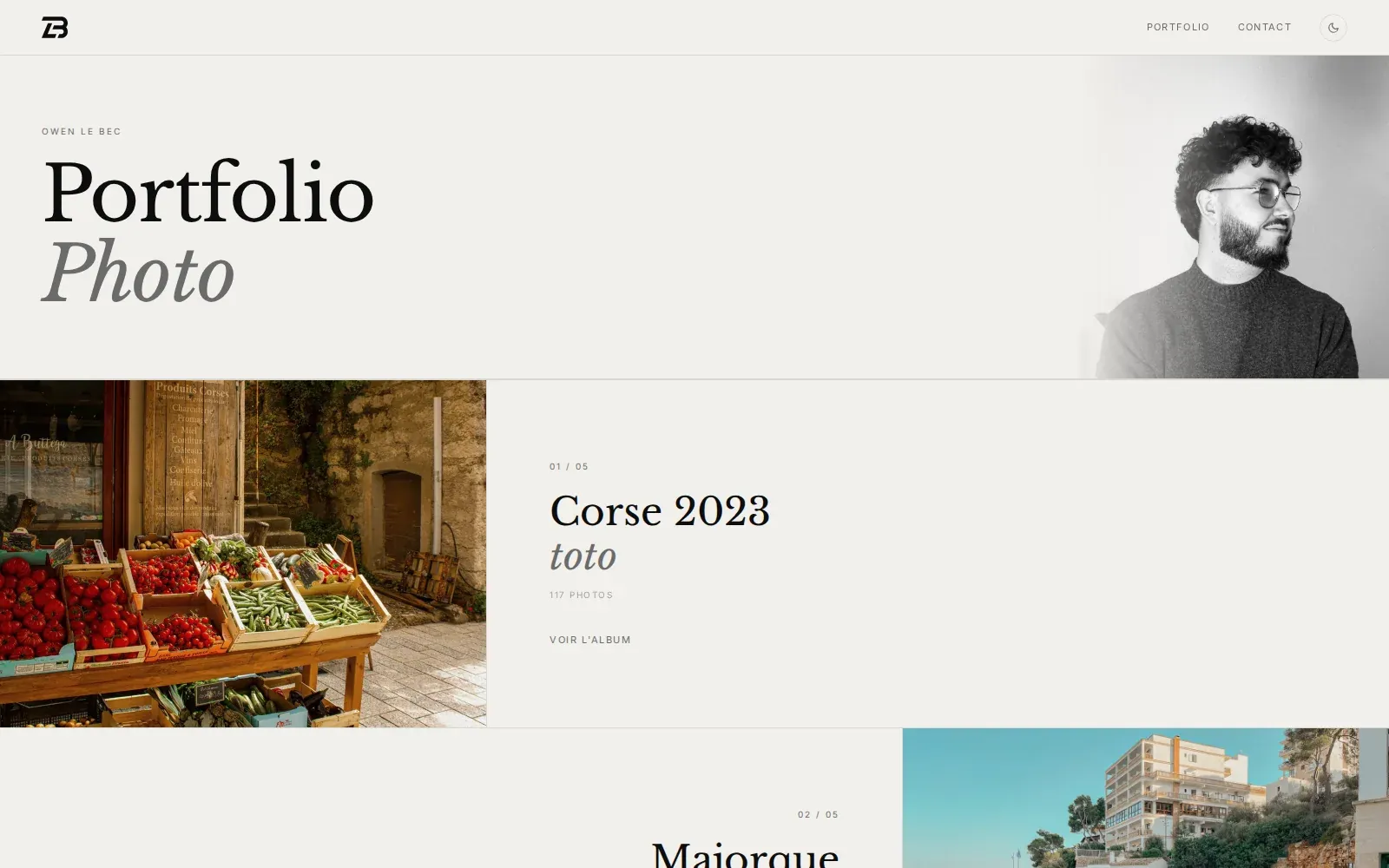
Photo Portfolio
DETAILS
Full-stack photography portfolio with justified gallery, custom lightbox, and admin dashboard — built to replace an overpriced Adobe Lightroom subscription.
Git RepositorySTACK
- Astro 4
- Vue 3
- TypeScript
- Tailwind CSS
- Cloudflare R2
- Cloudflare Image Resizing
- Netlify
Replacing an Adobe Lightroom subscription with my own tool — a photography portfolio and its admin back-office, from object storage to public gallery, built entirely from scratch.
What's the context behind the Photo Portfolio?
I was using Adobe Lightroom to publish my photos online, but the Creative Cloud subscription costs significantly more than what the feature actually provides — essentially a static image gallery. I built my own photography portfolio from scratch, with an integrated admin dashboard to manage albums and photos directly from the browser. The project covers the entire chain: object storage, on-demand resizing, public gallery, and admin interface.
What's the tech stack?
- Astro 4 (hybrid) —
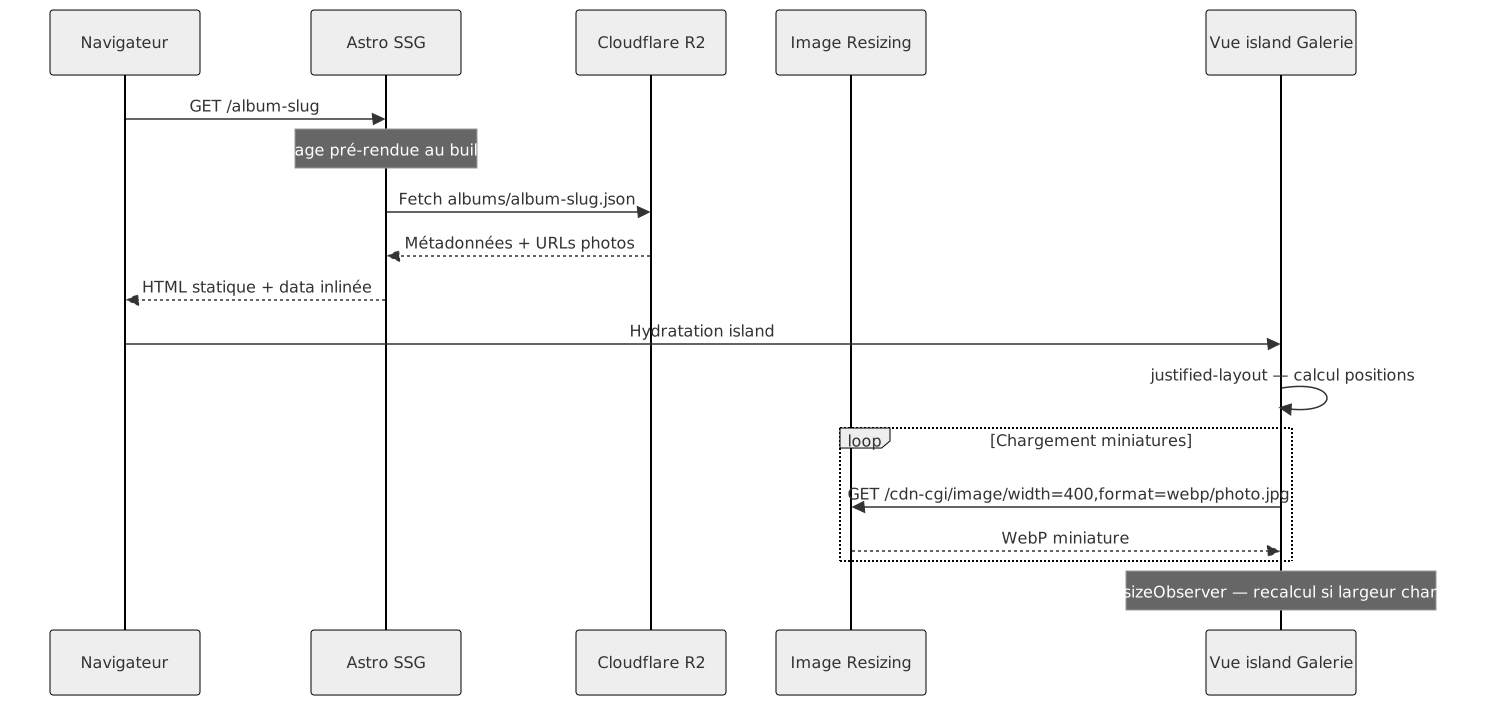
output: 'hybrid'mode: public pages are statically pre-rendered at build time, API routes and the admin run as SSR. Avoids a full-SPA framework for what is mostly static content. - Vue 3 — used only for interactive components (gallery, lightbox, admin). Astro loads Vue on demand via islands; everything else is plain HTML.
- Cloudflare R2 — S3-compatible object storage with no egress fees on public reads, compatible with the AWS SDK. Album metadata is stored as JSON directly in R2 (no database).
- Cloudflare Image Resizing — on-demand resizing via URL (
/cdn-cgi/image/width=1200,quality=78,format=webp/...). No thumbnail pre-generation needed; CDN cache is built in. - Netlify — hosting with Astro adapter. A build webhook allows re-deploying the static site from the admin ("Publish" button).
- justified-layout — Flickr's open-source library for computing justified grid positions. Recalculated via
ResizeObserveron every container width change.
Notable Technical Points
- Direct browser → R2 upload via presigned URLs: the
/api/presignendpoint generates a signed S3 URL (TTL 3600s), and the browser PUTs the file directly to R2 without routing through the Astro server. Keeps bandwidth costs low and avoids timeouts on large files. - No database: album and photo metadata is stored as JSON files in R2 (
albums/index.json,albums/{slug}.json). Sufficient for a personal collection, eliminates a service to maintain. - Custom lightbox (no external dependency): progressive loading (blurred thumbnail → full-res), wheel/pinch/double-tap zoom (max 5×), clamped panning, swipe navigation, full keyboard support, EXIF data display (camera, lens, aperture, shutter speed, ISO, location).
- EXIF metadata preserved end-to-end: the CLI script extracts EXIF data via
exifr(camera, lens, GPS, capture date) and stores it as structured data in album JSON. Displayed in the public lightbox. - Batch import script (
npx tsx scripts/import.ts --album tokyo-2025 ~/Photos/*.jpg): concurrent uploads (3 files in parallel), automatic EXIF extraction,immutable1-year cache headers on R2 objects, atomic index update. - On-demand static rebuild: the "Publish site" button in the admin triggers a POST to a Netlify build hook — the public site is re-generated statically with fresh data, without exposing dynamic content endpoints in production.
What I Learned
The main challenge was the lightbox: handling zoom + pan + swipe coherently on mobile without a library, with smooth transitions that don't disorient users on small screens. The other interesting decision was choosing not to use a database — JSON-in-R2 is a constraint that radically simplifies deployment and is more than sufficient for this use case.
Diagrams
Global Architecture

Photo Upload Pipeline
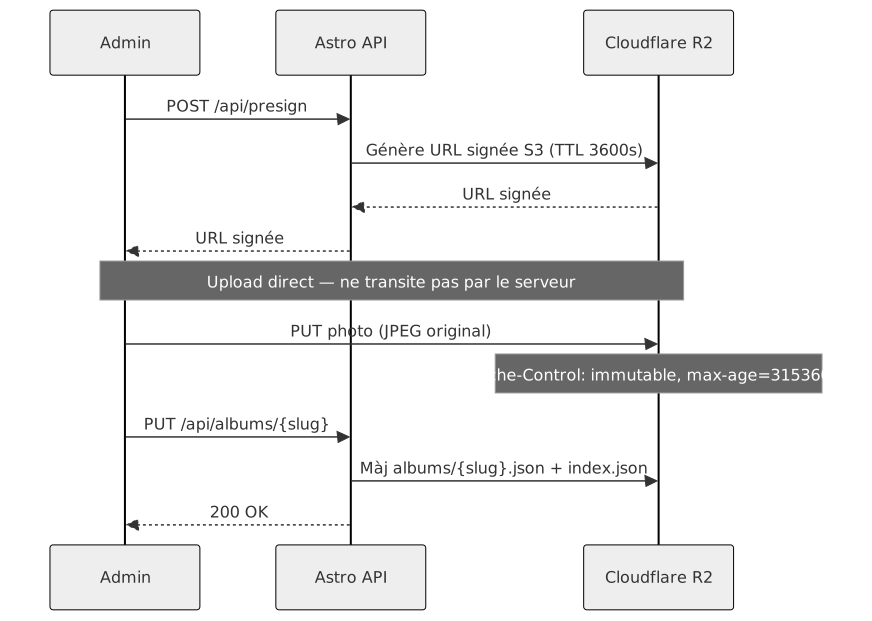
Image Delivery Pipeline

Page Structure & Routing

Data Flow — Album Page Render